Product Designer (UX/UI)
Product Designer (UX/UI)
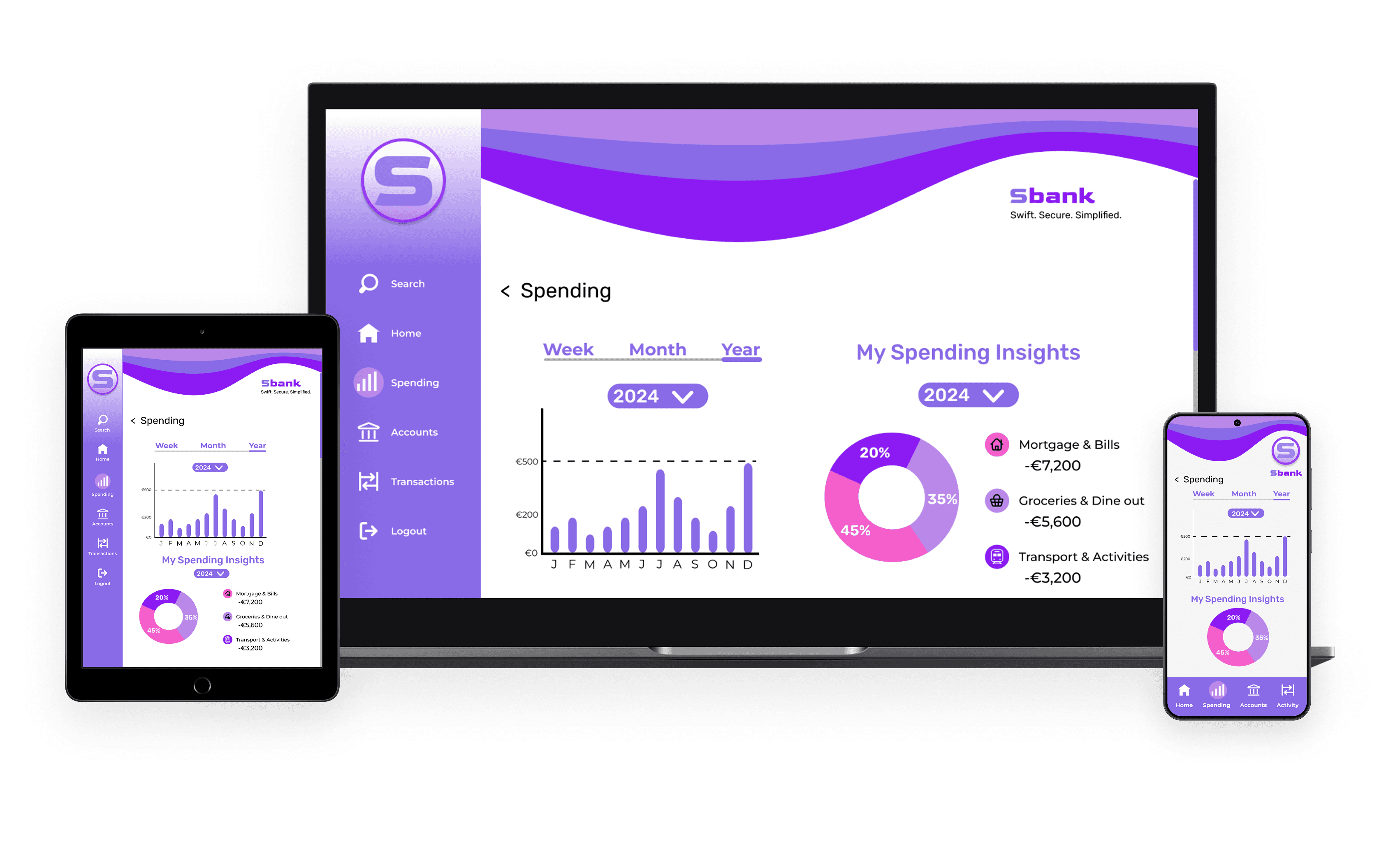
Designing a Cross-Platform Banking Experience
Designing a Cross-Platform Banking Experience
Designing a Cross-Platform Banking Experience
Sbank · UI Design Concept
Sbank · UI Design Concept
Sbank · UI Design Concept
This project was completed as part of my UX/UI Diploma. The brief was to design a fresh, modern interface for a fictitious banking app across mobile, tablet, and desktop.
This project was completed as part of my UX/UI Diploma. The brief was to design a fresh, modern interface for a fictitious banking app across mobile, tablet, and desktop.
This project was completed as part of my UX/UI Diploma. The brief was to design a fresh, modern interface for a fictitious banking app across mobile, tablet, and desktop.
Brand Direction
Brand Direction
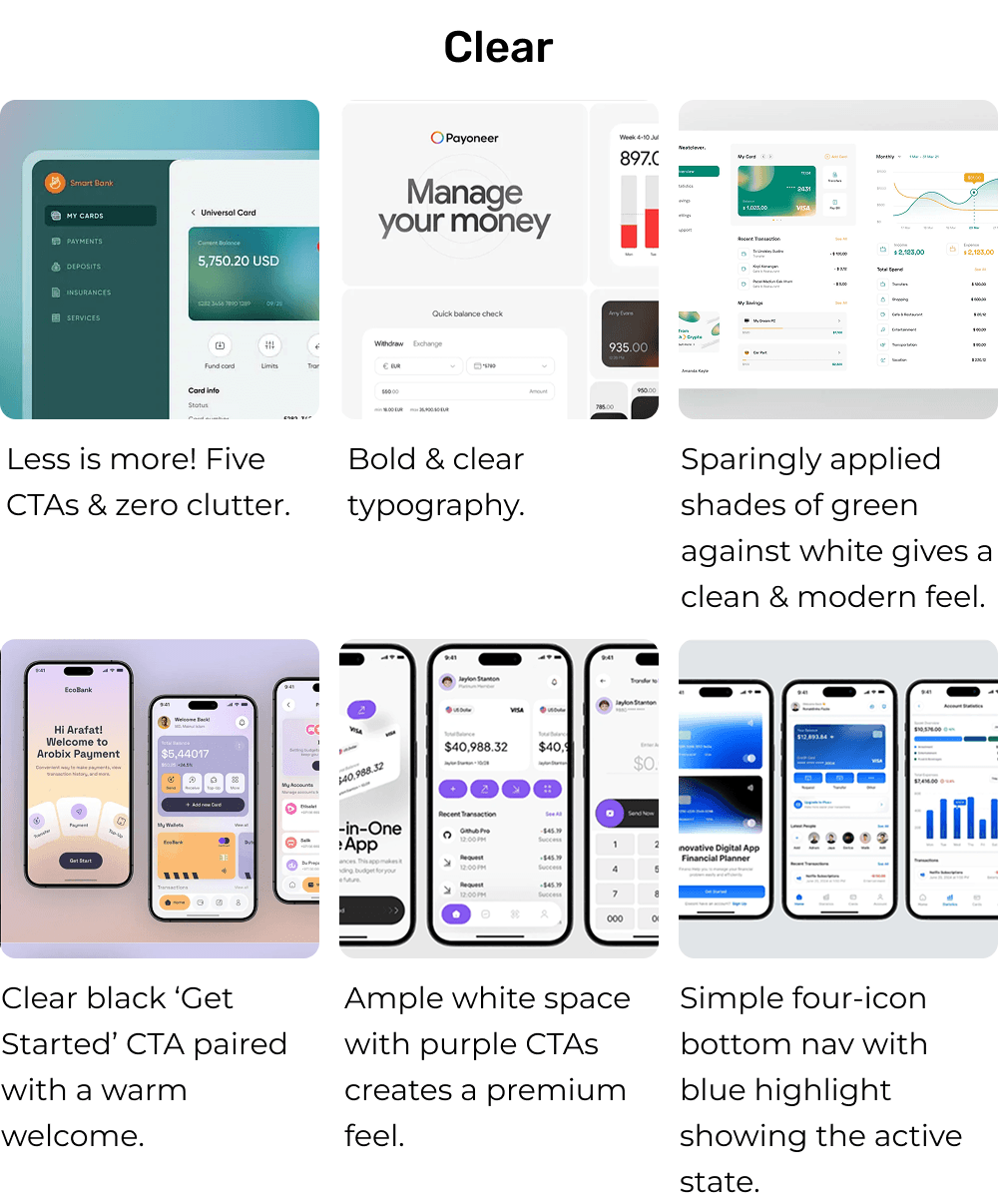
Clear – Clean layouts and simplified information for fast navigation
Clear – Clean layouts and simplified information for fast navigation
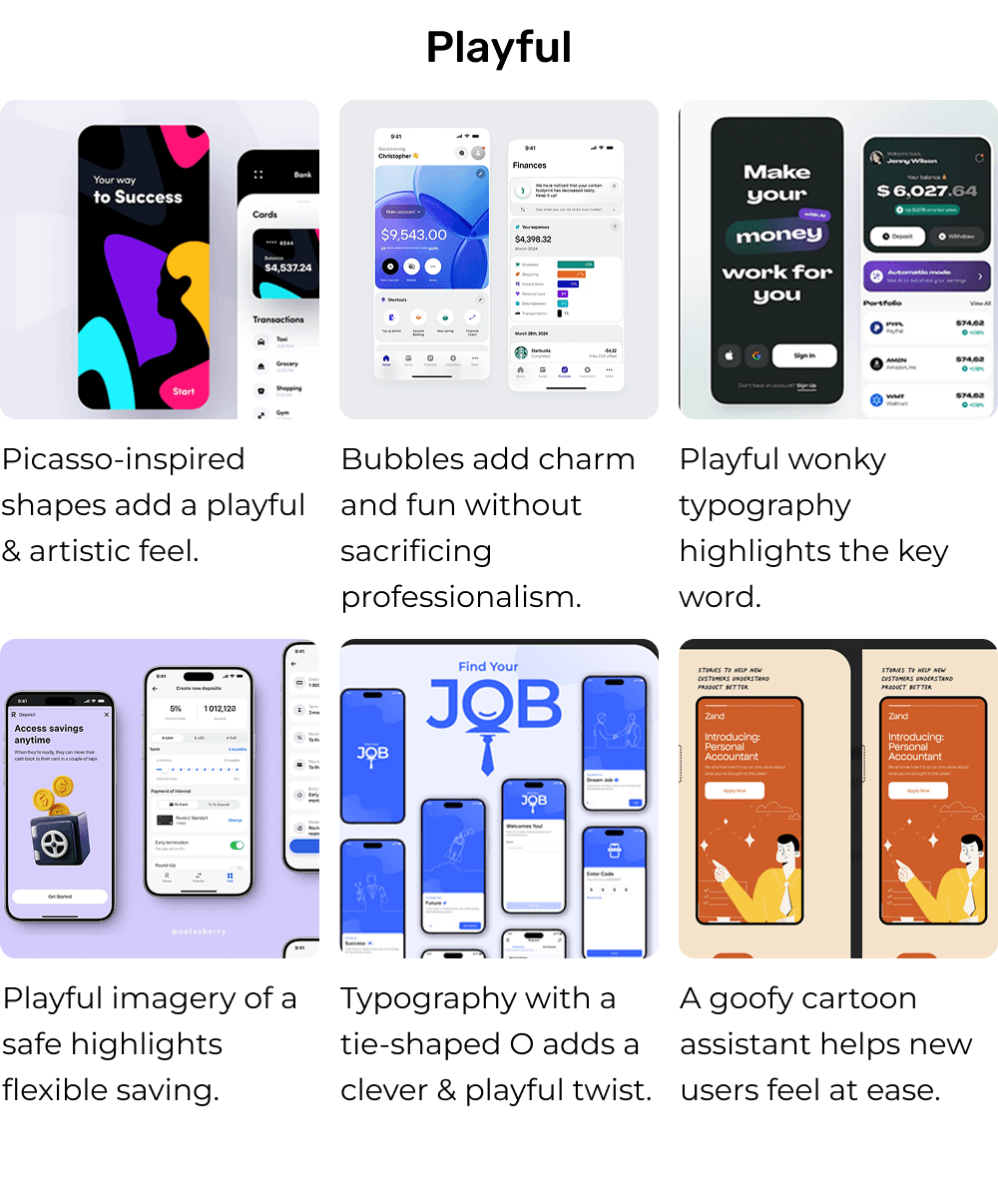
Playful – A banking app that feels swift & friendly, with personality through colour & motion
Playful – A banking app that feels swift & friendly, with personality through colour & motion
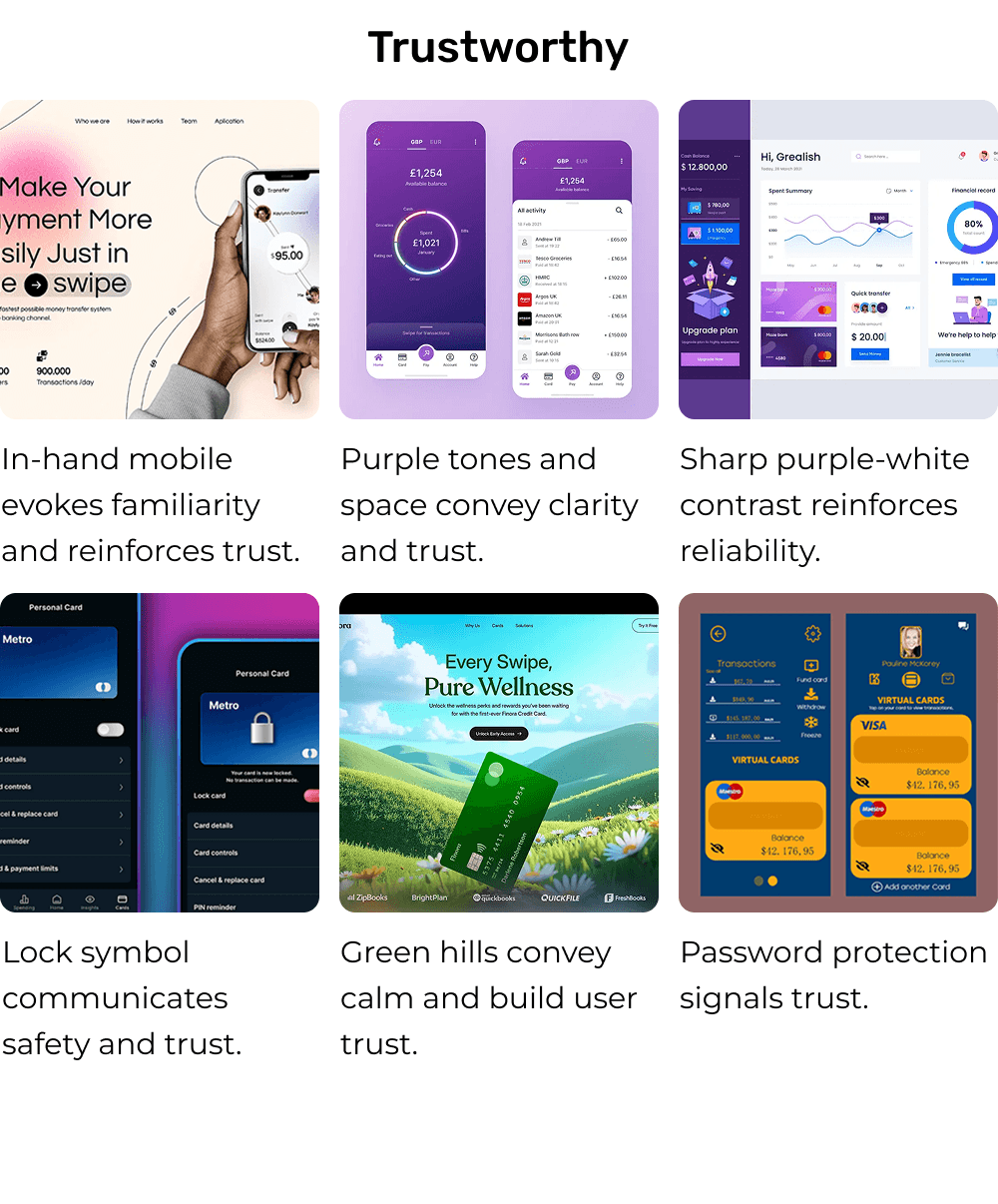
Trustworthy – A secure, reliable feel through consistent styling and visual hierarchy
Trustworthy – A secure, reliable feel through consistent styling and visual hierarchy
Tagline
Tagline
Swift. Secure. Simplified.
Swift. Secure. Simplified.
Swift. Secure. Simplified.
These three qualities shaped both the tone and the final UI visuals.
These three qualities shaped both the tone and the final UI visuals.
These three qualities shaped both the tone and the final UI visuals.
My Role
My Role
Product Designer (UI-focused execution)
Product Designer (UI-focused execution)
Responsible for visual direction and execution across mobile, tablet, and desktop.
Key Responsibilities
Mood boards & colour exploration
Mood boards & colour exploration
Iconography, typography, and component design
Iconography, typography, and component design
Three high-fidelity screens for mobile, tablet & desktop
Three high-fidelity screens for mobile, tablet & desktop
Timeline
Timeline
Mar 2025 — May 2025
Mar 2025 — May 2025
Mar 2025 — May 2025
MOOD BOARDS
MOOD BOARDS
Mood Boards
Clear, Playful and Trustworthy
Clear, Playful and Trustworthy
I created mood boards exploring the brand’s core tones (Clear, Playful, and Trustworthy) using colour, shape, typography, and UI references. These boards set the foundation for the final visual direction.
I created mood boards exploring the brand’s core tones (Clear, Playful, and Trustworthy) using colour, shape, typography, and UI references. These boards set the foundation for the final visual direction.
MOOD BOARDS
Clear, Playful and Trustworthy
I created mood boards exploring the brand’s core tones (Clear, Playful, and Trustworthy) using colour, shape, typography, and UI references. These boards set the foundation for the final visual direction.
DESIGN SYSTEM
DESIGN SYSTEM
DESIGN SYSTEM
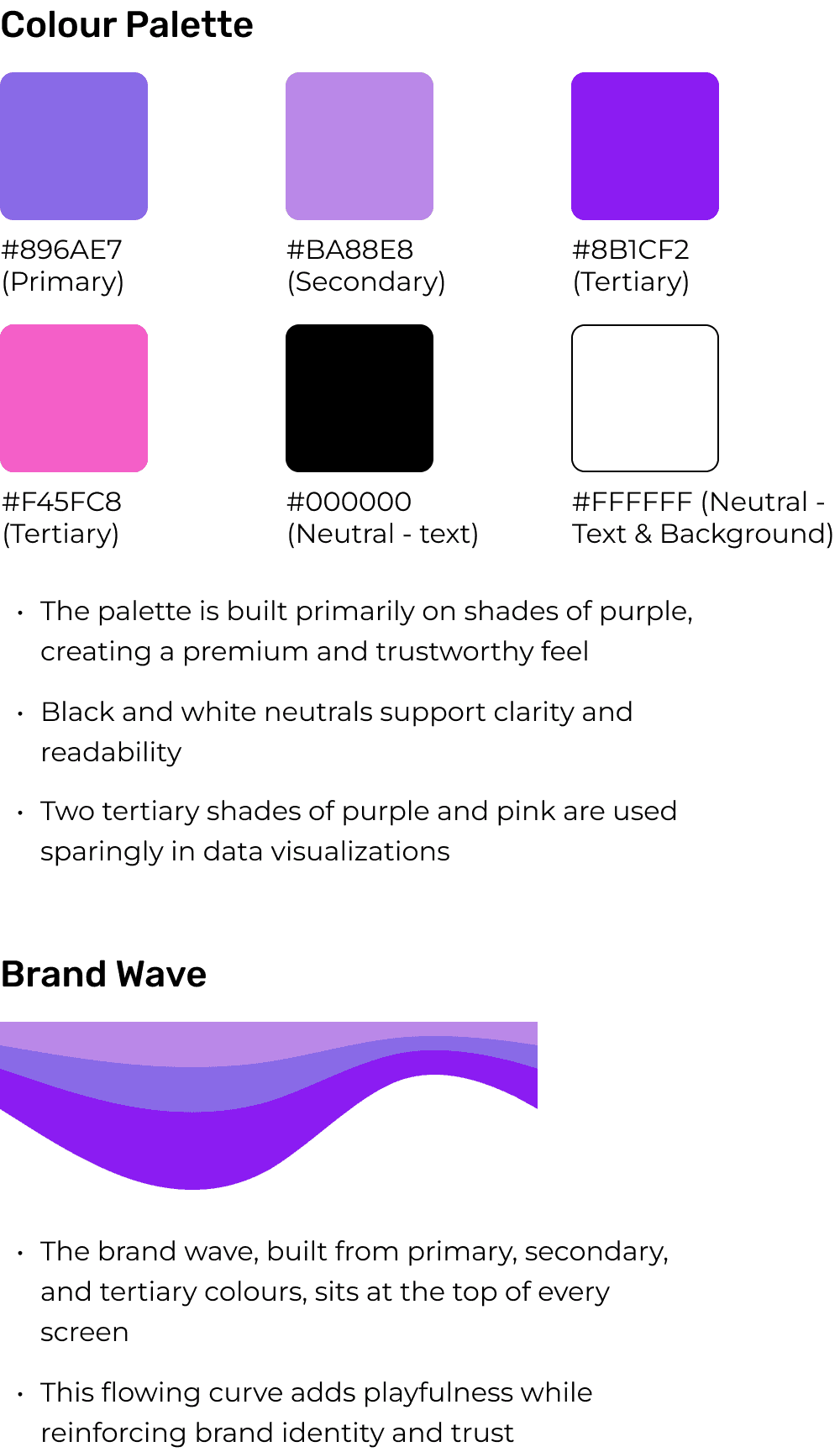
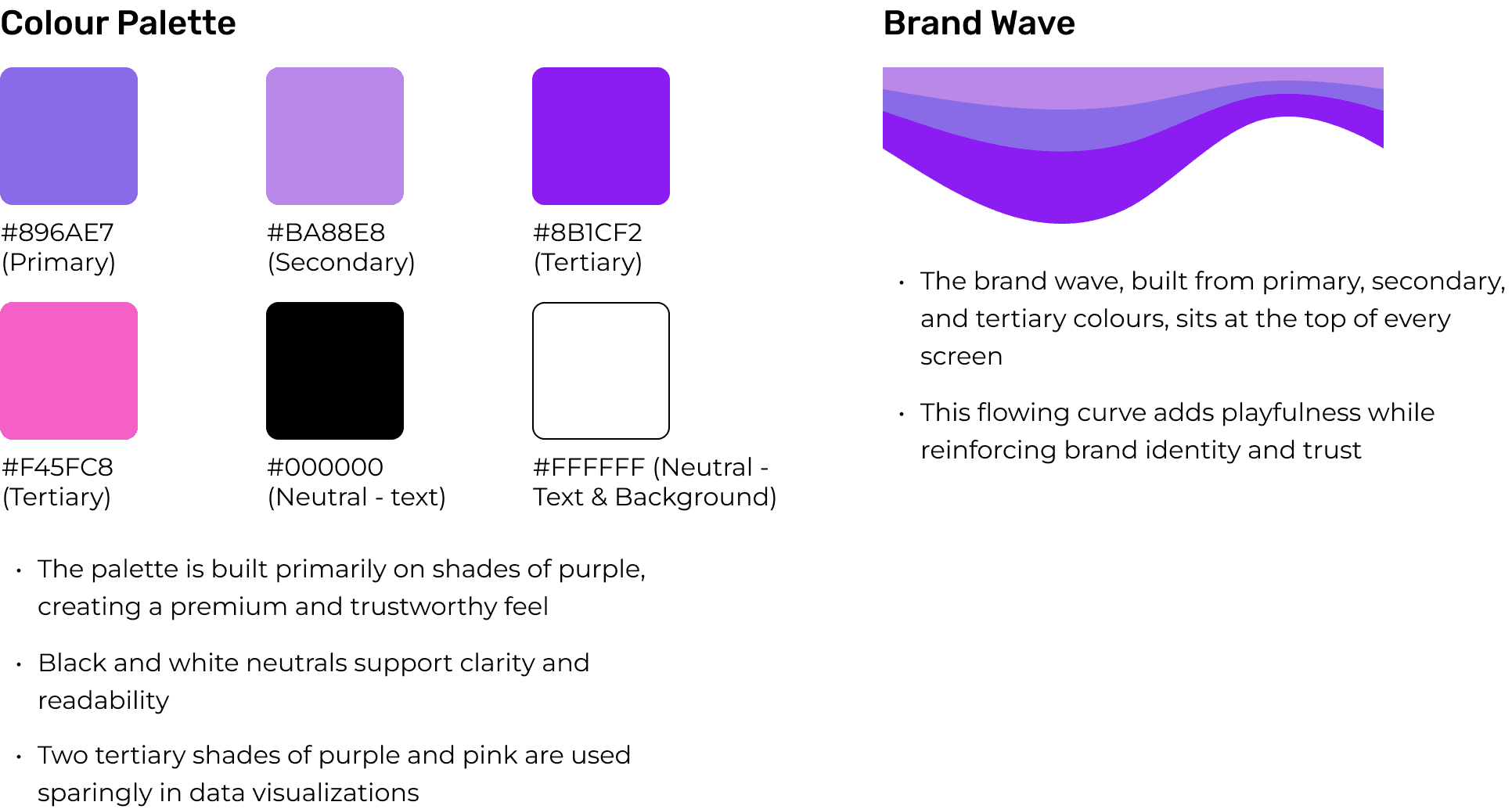
Colour
Colour
Colour
Typography
Typography
Typography
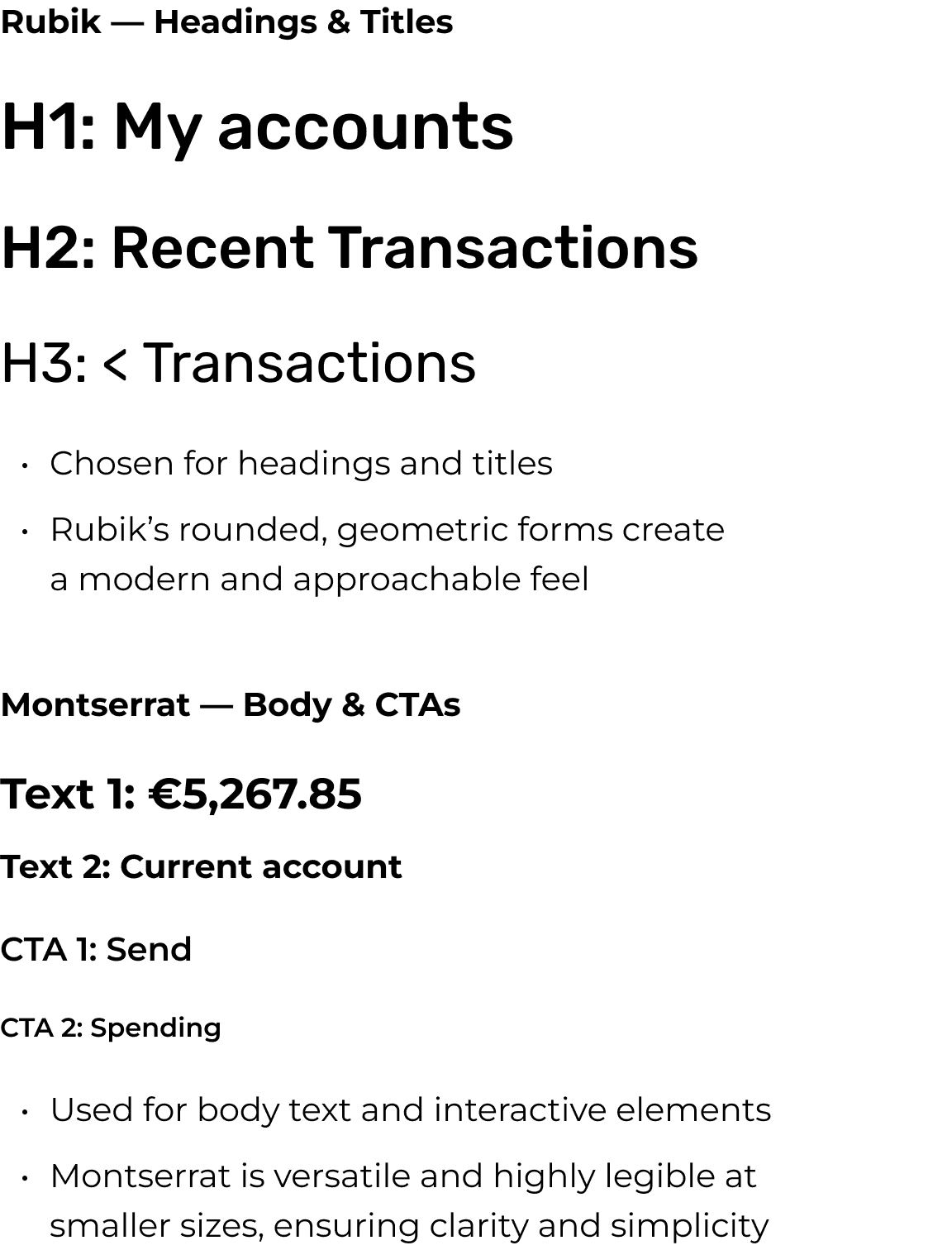
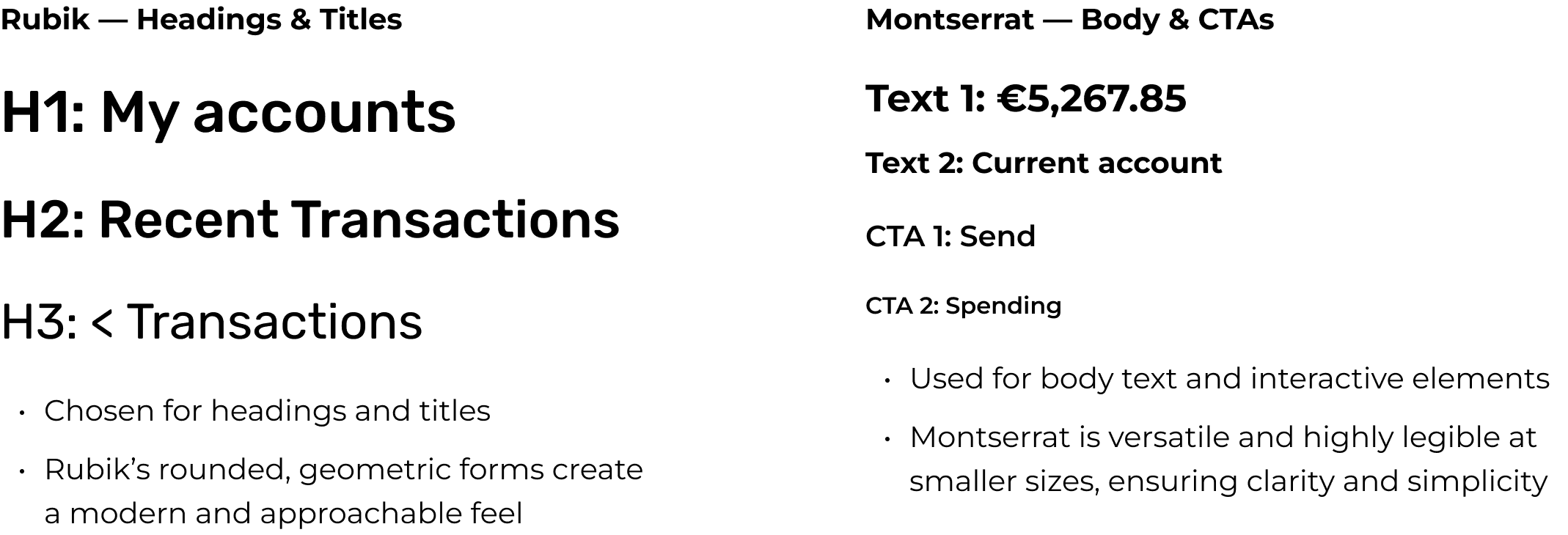
This type system acts as a flexible toolkit, ensuring consistency across devices even when not every screen uses every level.
This type system acts as a flexible toolkit, ensuring consistency across devices even when not every screen uses every level.
This type system acts as a flexible toolkit, ensuring consistency across devices even when not every screen uses every level.
Components
Components
Components
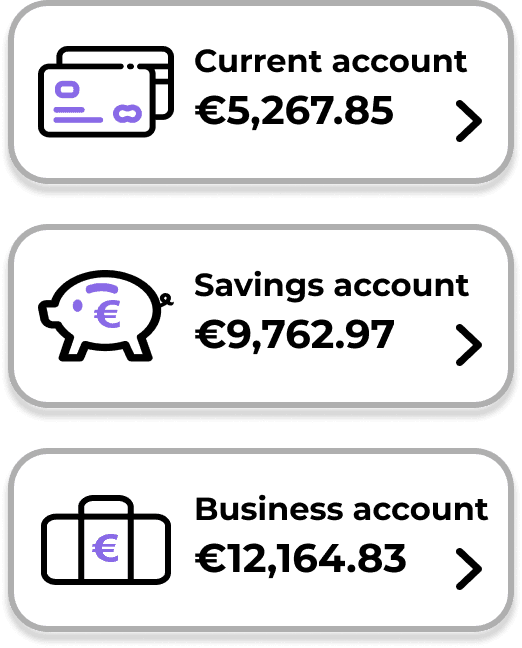
Account selection cards — Current, Savings and Business (Mobile)
Account selection cards — Current, Savings and Business (Mobile)
Account selection cards — Current, Savings and Business (Mobile)
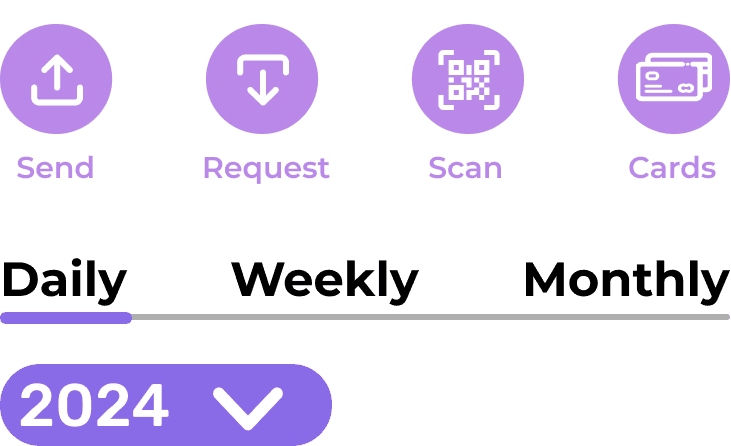
CTA variants with icons and text (Tablet)
CTA variants with icons and text (Tablet)
CTA variants with icons and text (Tablet)
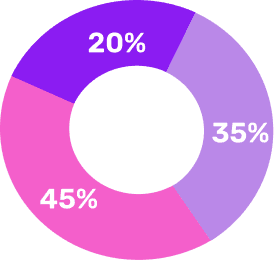
Donut chart component (Mobile)
Donut chart component (Mobile)
Donut chart component (Mobile)
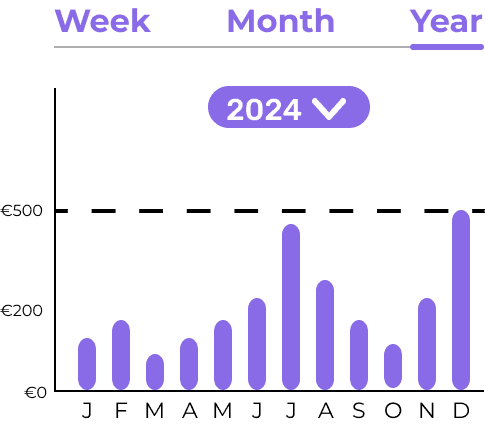
Bar chart component (Mobile)
Bar chart component (Mobile)

Bottom navigation bar (Mobile)
Bottom navigation bar (Mobile)

Side navigation bar (Desktop)
Side navigation bar (Desktop)
Navigation components remain consistent across devices, with adjusted labels to suit mobile screen constraints
Navigation components remain consistent across devices, with adjusted labels to suit mobile screen constraints
Navigation components remain consistent across devices, with adjusted labels to suit mobile screen constraints
Tertiary colours used only for data-visualisation
Tertiary colours used only for data-visualisation
Tertiary colours used only for data-visualisation
Navigation bars reinforce brand identity
Navigation bars reinforce brand identity
Navigation bars reinforce brand identity
Screen Design Iterations
Screen Design Iterations
Screen Design Iterations
A look at how key screens evolved during the design process. Each iteration reflects decisions made to improve usability, visual clarity, and consistency across devices.
A look at how key screens evolved during the design process. Each iteration reflects decisions made to improve usability, visual clarity, and consistency across devices.
A look at how key screens evolved during the design process. Each iteration reflects decisions made to improve usability, visual clarity, and consistency across devices.
Before
Before
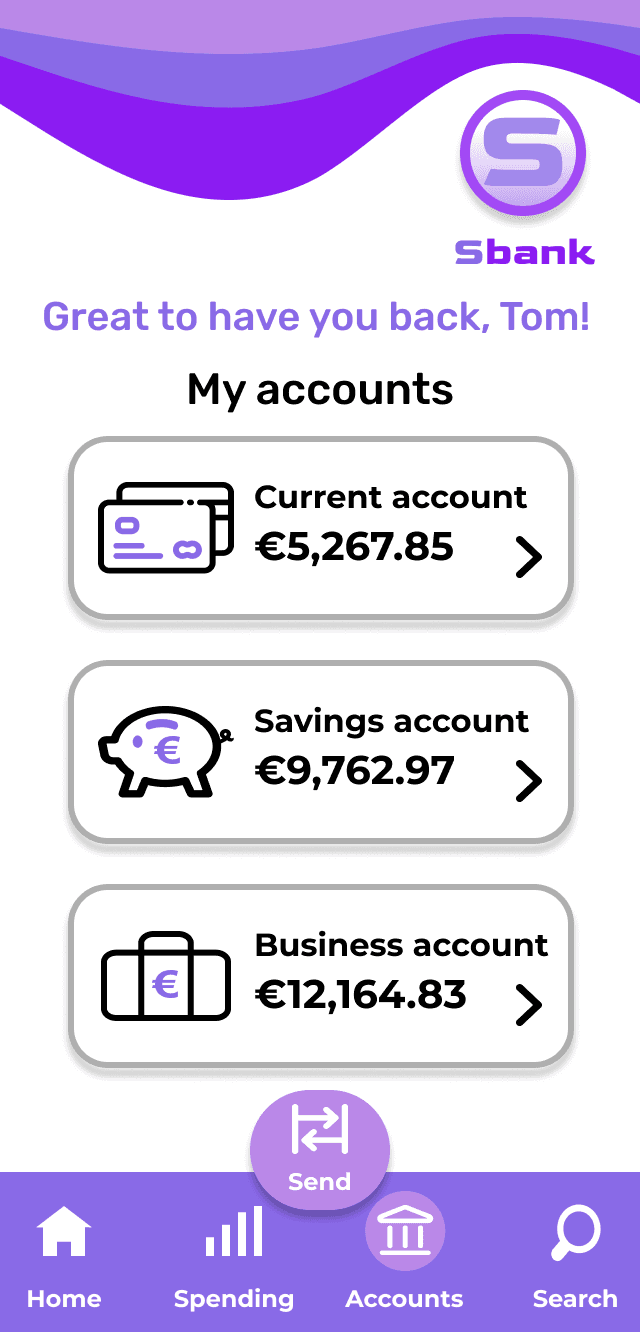
Floating transaction CTA overlaps the bottom navigation bar
Floating transaction CTA overlaps the bottom navigation bar
Floating transaction CTA overlaps the bottom navigation bar
Creates visual clutter and squeezes other navigation actions
Creates visual clutter and squeezes other navigation actions
Creates visual clutter and squeezes other navigation actions
After
After
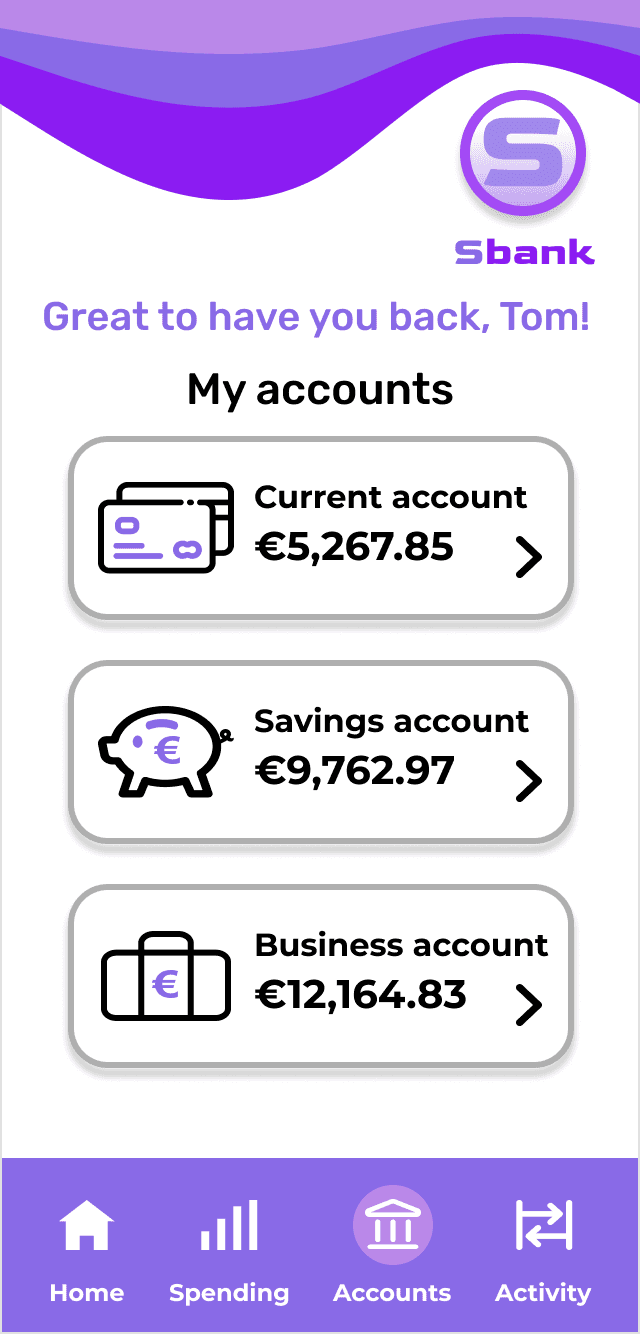
Removed floating CTA to restore a clean, balanced navigation bar
Removed floating CTA to restore a clean, balanced navigation bar
Removed floating CTA to restore a clean, balanced navigation bar
Replaced “Search” with “Activity” for clearer mental mapping
Replaced “Search” with “Activity” for clearer mental mapping
Replaced “Search” with “Activity” for clearer mental mapping
Before
Before
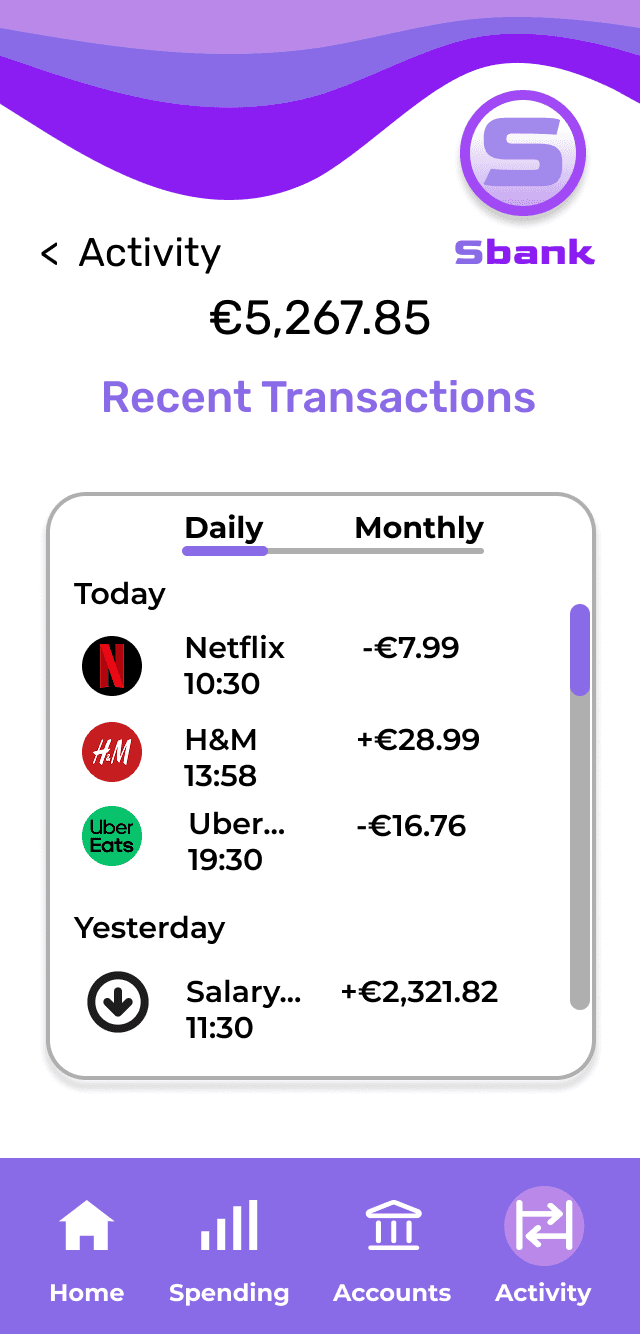
The list feels cramped and does not reflect the primary function of the screen
The list feels cramped and does not reflect the primary function of the screen
The list feels cramped and does not reflect the primary function of the screen
Transactions list presented in a short scrollable frame
Transactions list presented in a short scrollable frame
Transactions list presented in a short scrollable frame
After
After
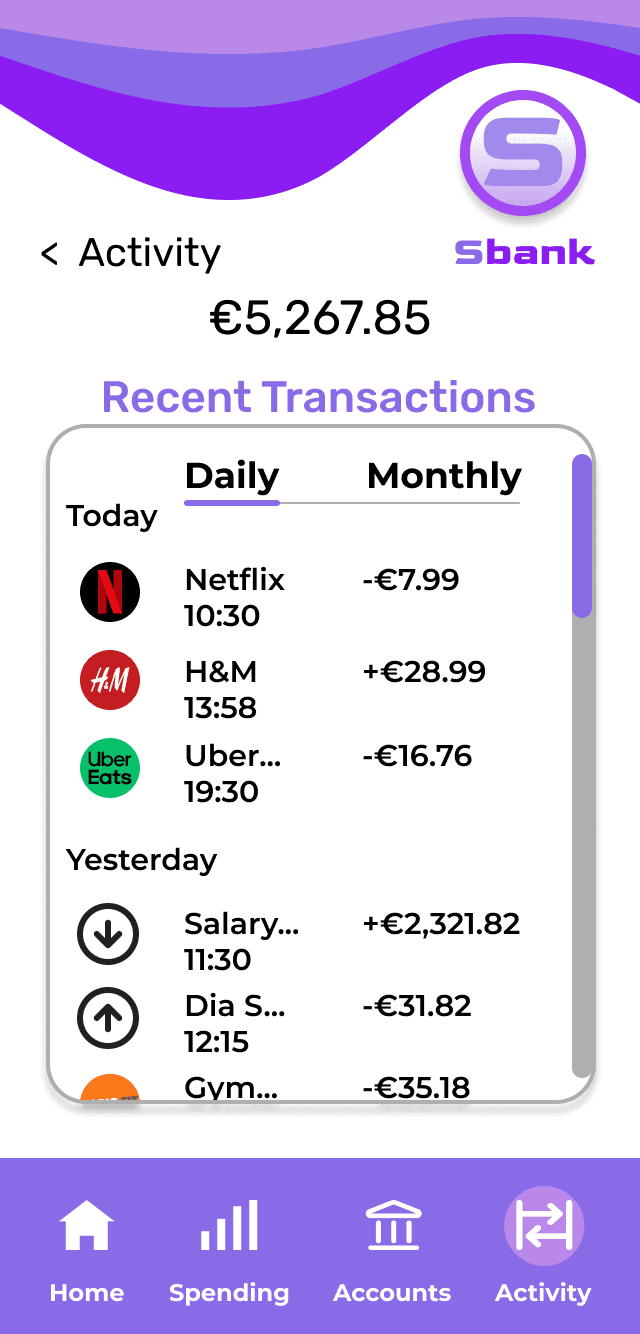
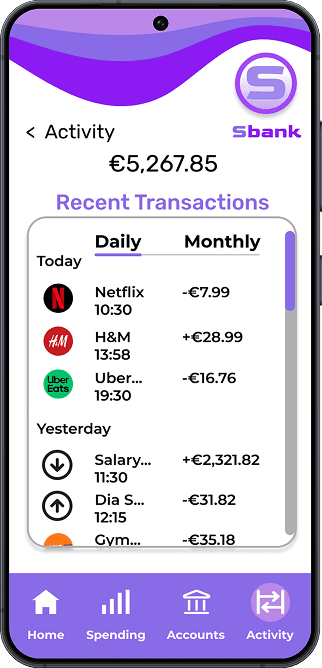
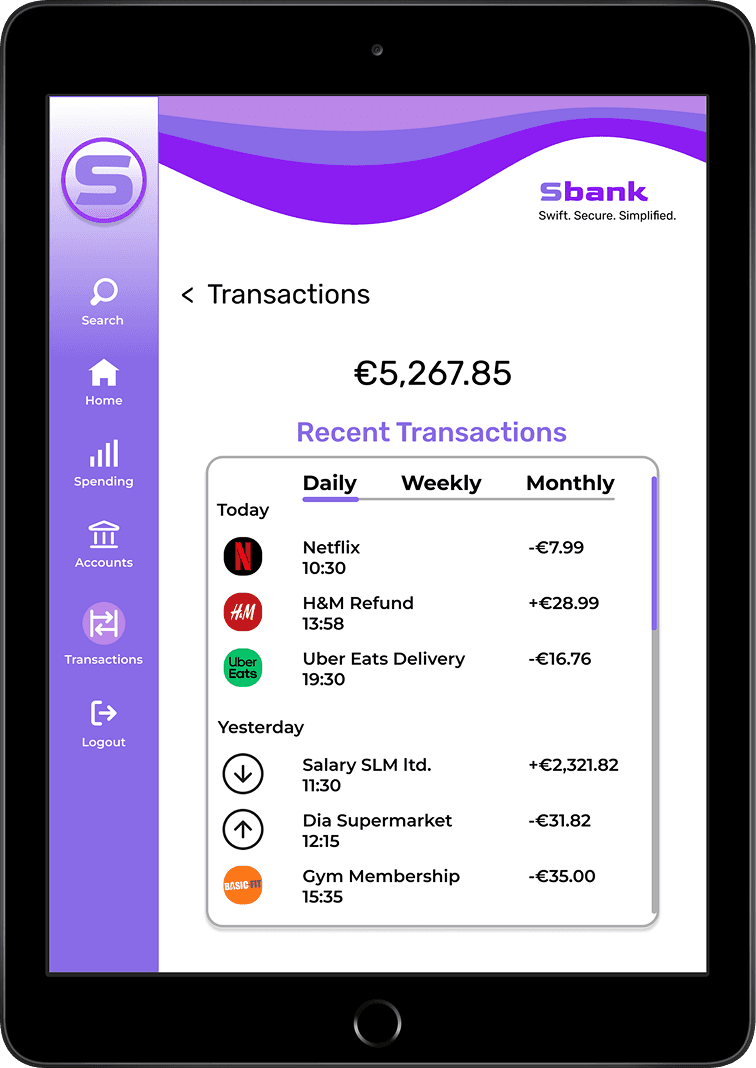
The transactions frame is extended to show more items
The transactions frame is extended to show more items
The transactions frame is extended to show more items
This makes transactions the central focus of the screen and reduces unnecessary scrolling
This makes transactions the central focus of the screen and reduces unnecessary scrolling
This makes transactions the central focus of the screen and reduces unnecessary scrolling
Before
Before
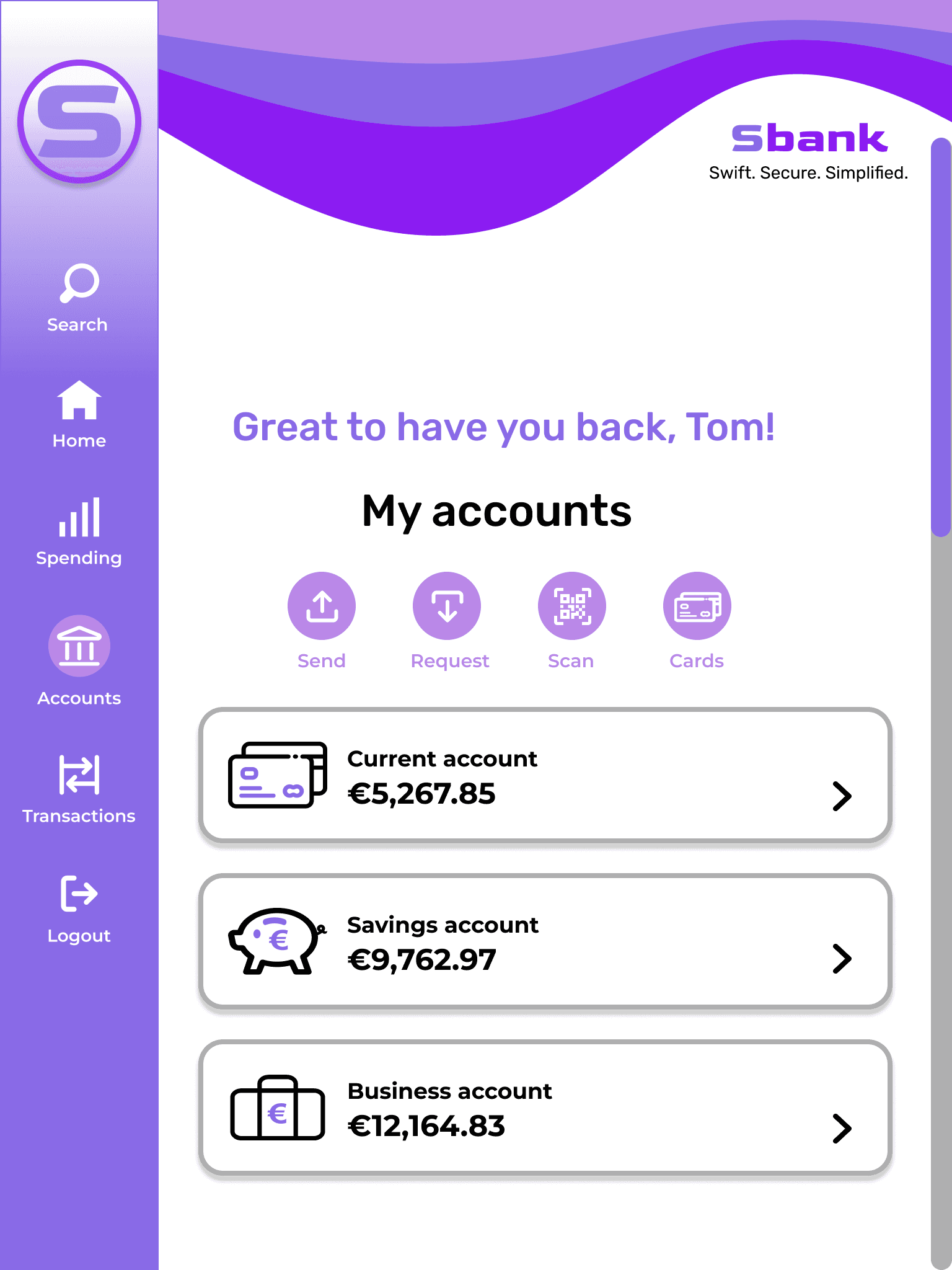
Content was centre-aligned, making it harder to scan
Content was centre-aligned, making it harder to scan
Content was centre-aligned, making it harder to scan
The brand wave style differed from mobile reducing consistency across devices
The brand wave style differed from mobile reducing consistency across devices
The brand wave style differed from mobile reducing consistency across devices
After
After
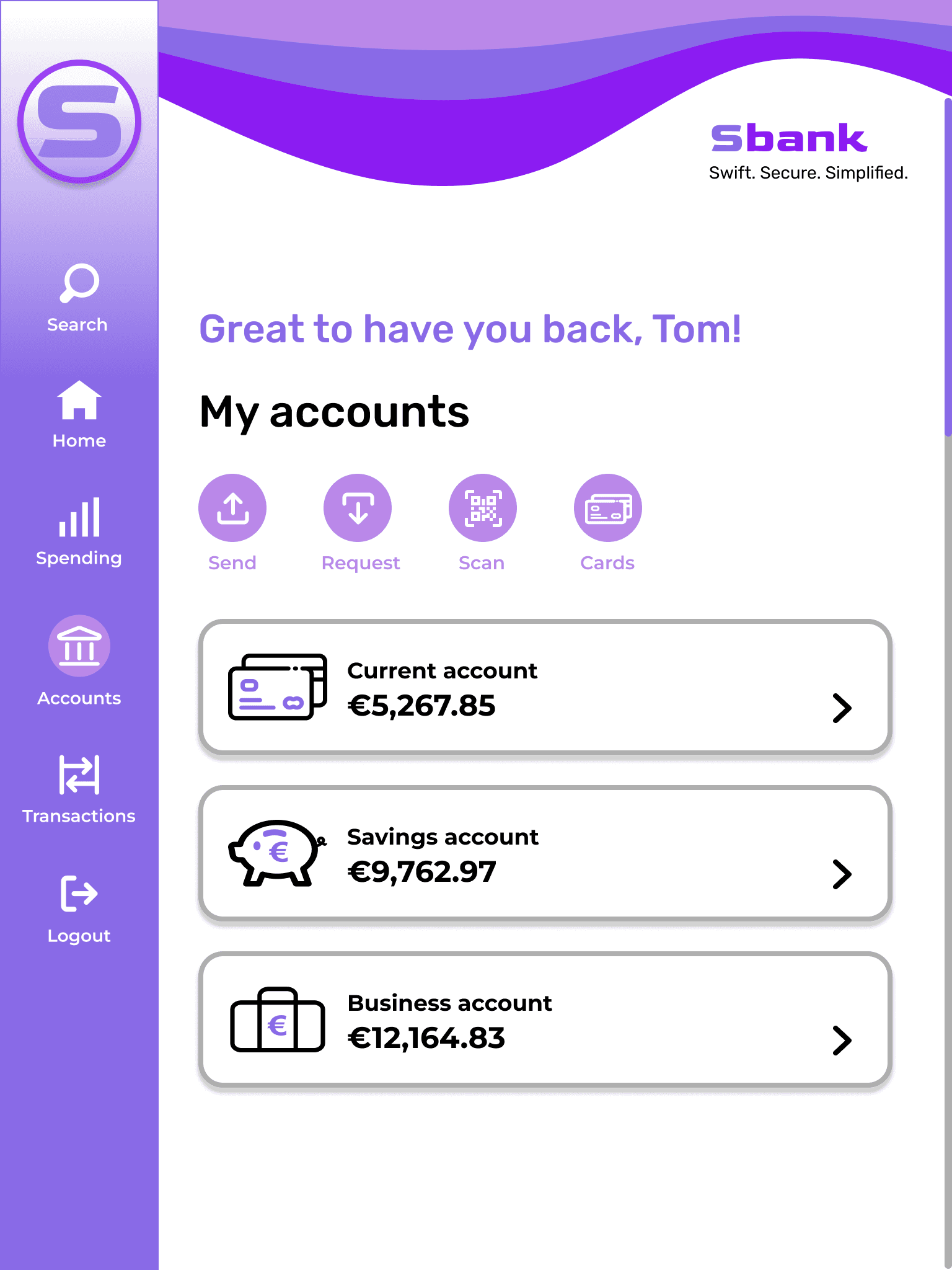
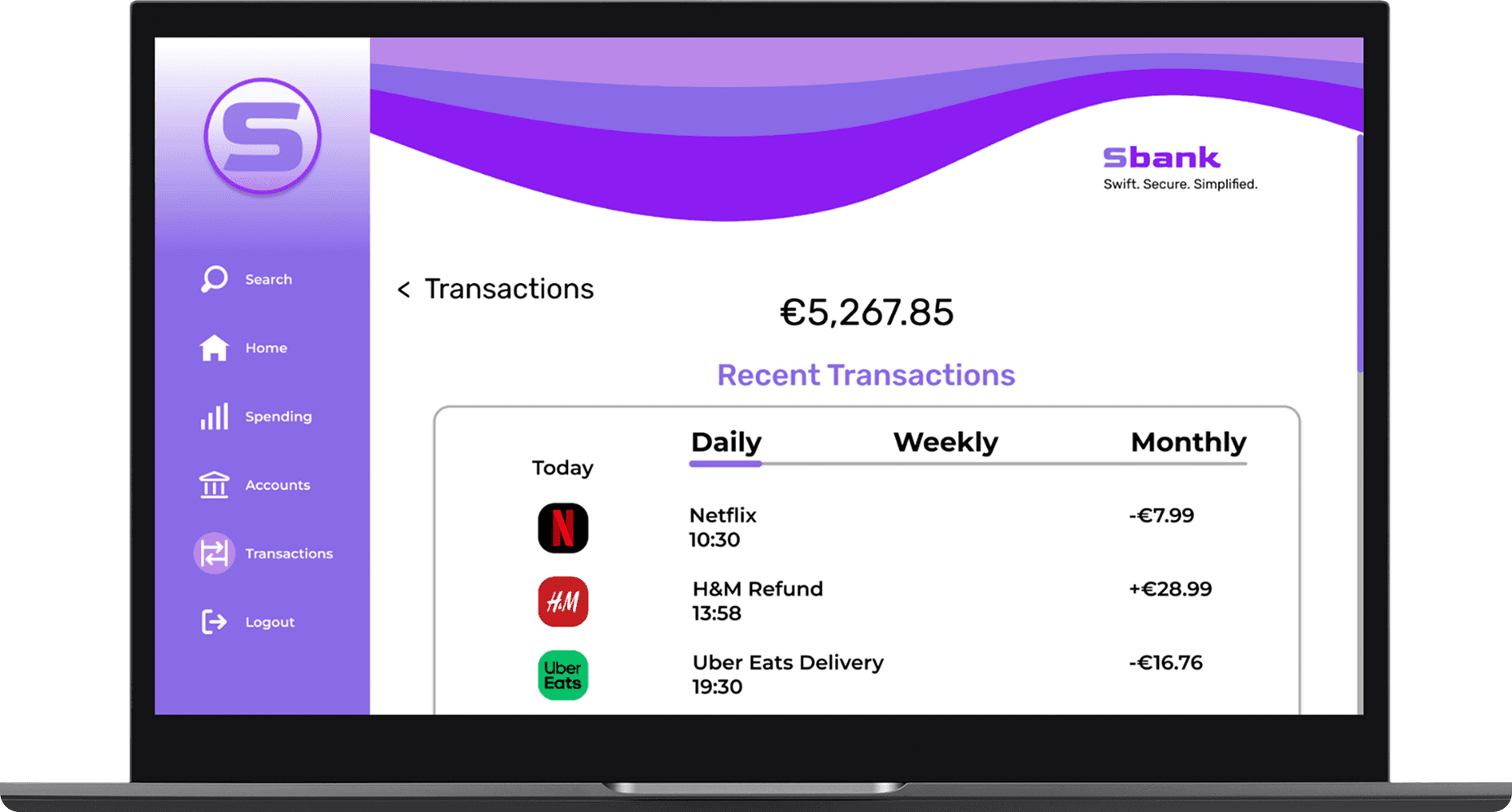
Content is left-aligned for easier scannability and to improve hierarchy
Content is left-aligned for easier scannability and to improve hierarchy
Content is left-aligned for easier scannability and to improve hierarchy
The brand wave now matches mobile, creating a uniform signature element
The brand wave now matches mobile, creating a uniform signature element
The brand wave now matches mobile, creating a uniform signature element
Final Screen Designs
Final Screen Designs
Final Screen Designs
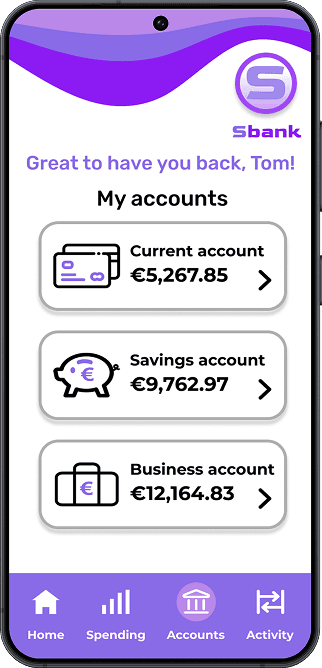
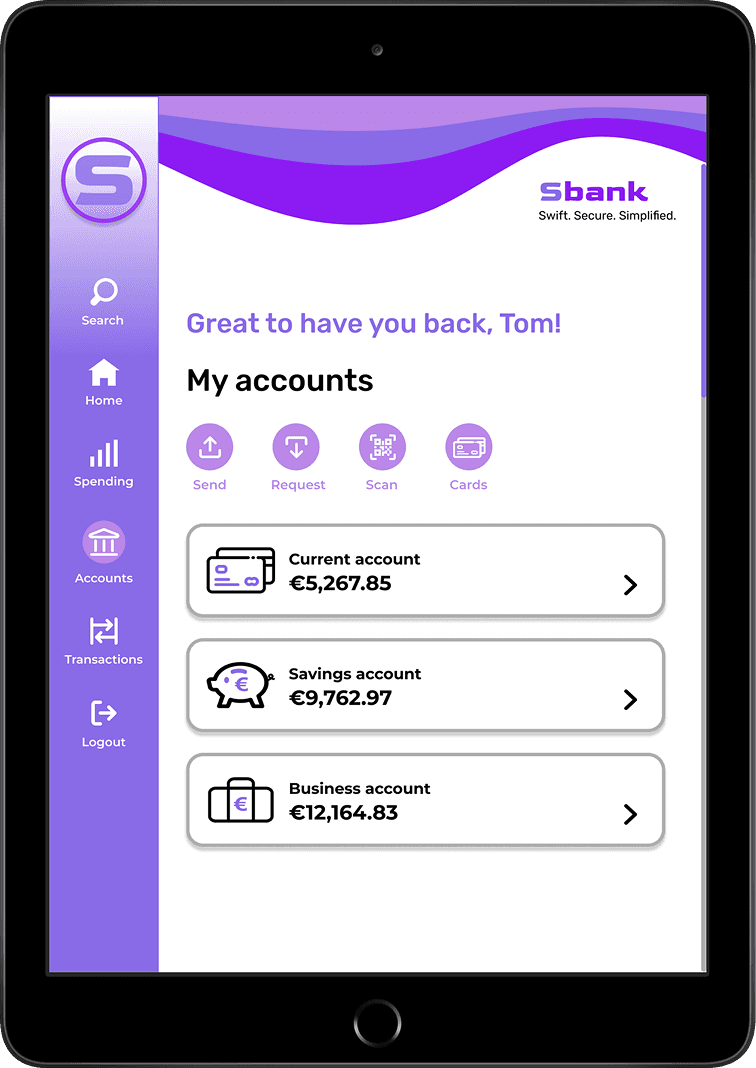
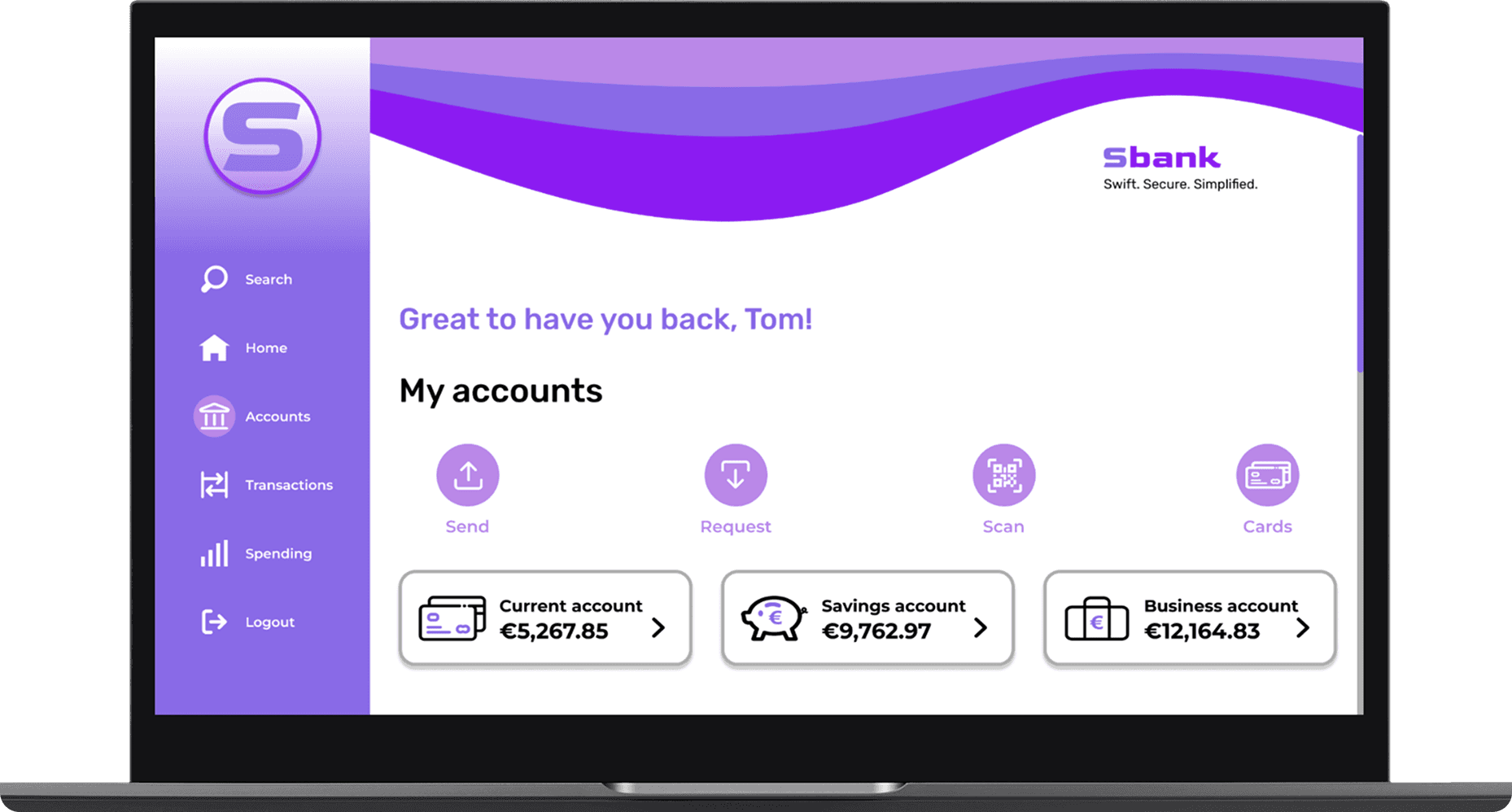
My Accounts
My Accounts
My Accounts
Transactions
Transactions
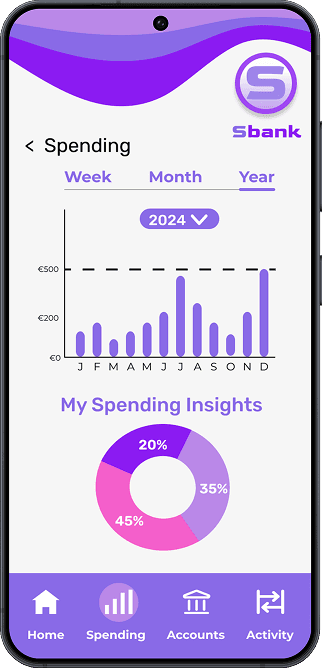
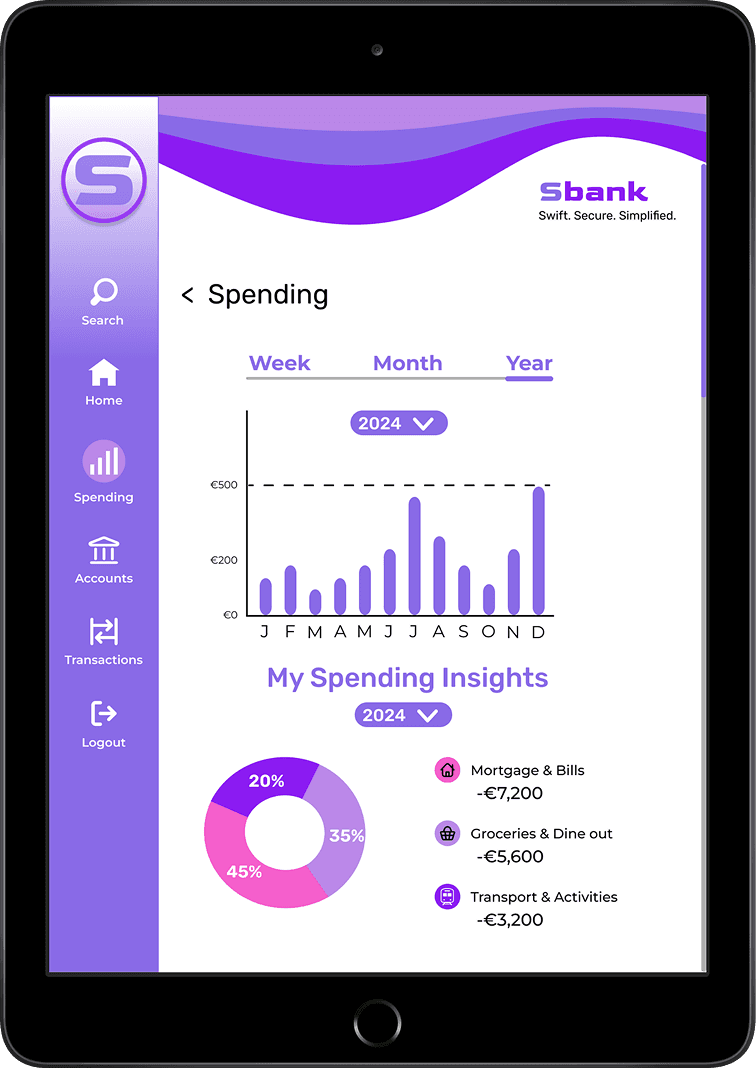
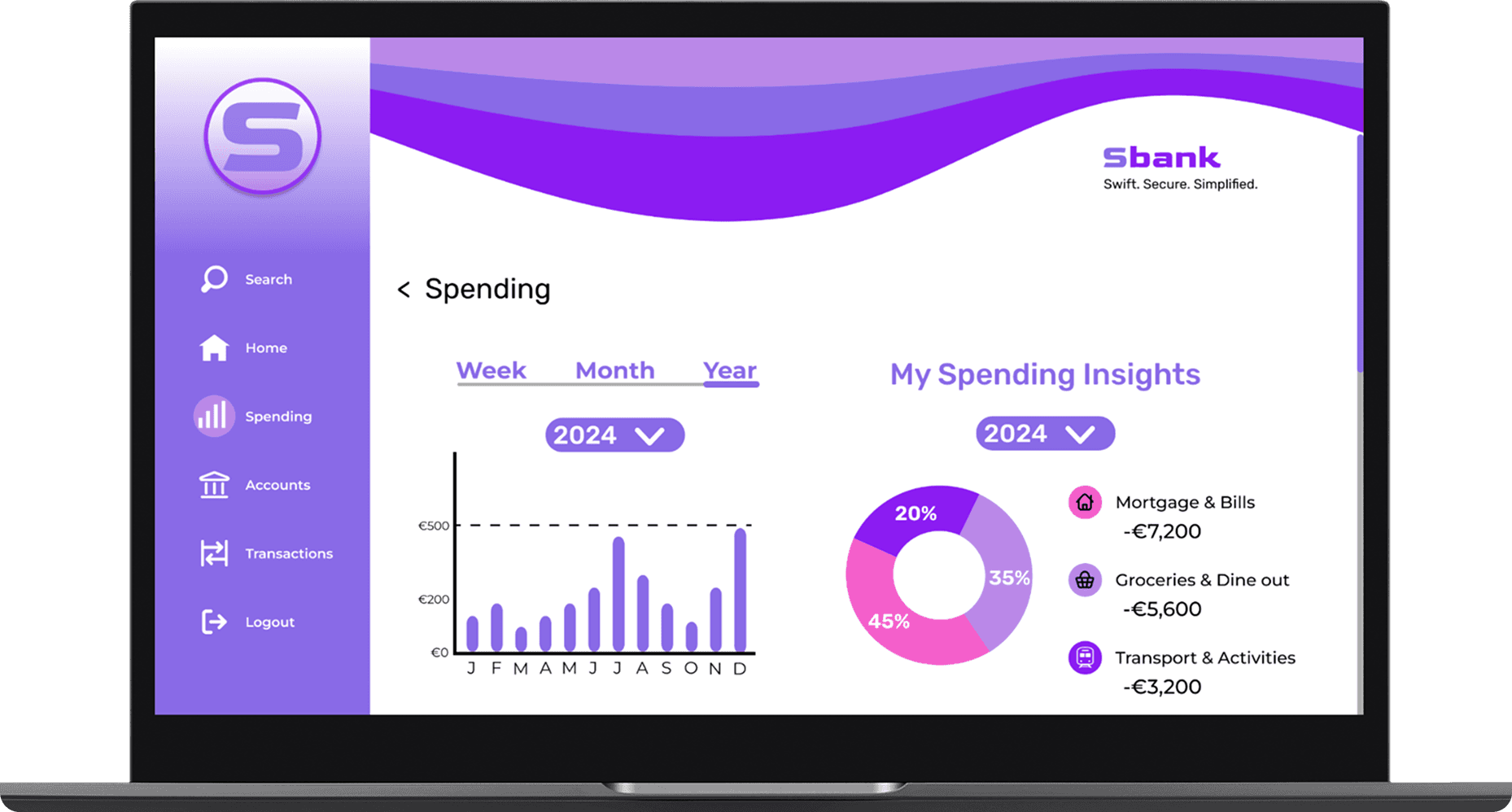
My Spending
My Spending
REFLECTION
REFLECTION
Crafting a Cohesive Banking Experience
Crafting a Cohesive Banking Experience
Designing Sbank has been one of the most rewarding parts of my design journey. I’m proud of how the different navigation bars, brand curve and tagline came together to create a consistent and recognisable identity across mobile, tablet and desktop. This project taught me how subtle shifts in alignment, spacing and hierarchy can dramatically improve clarity and usability.
Designing Sbank has been one of the most rewarding parts of my design journey. I’m proud of how the different navigation bars, brand curve and tagline came together to create a consistent and recognisable identity across mobile, tablet and desktop. This project taught me how subtle shifts in alignment, spacing and hierarchy can dramatically improve clarity and usability.
Designing Sbank has been one of the most rewarding parts of my design journey. I’m proud of how the different navigation bars, brand curve and tagline came together to create a consistent and recognisable identity across mobile, tablet and desktop. This project taught me how subtle shifts in alignment, spacing and hierarchy can dramatically improve clarity and usability.
My next focus would be developing a fully interactive prototype and testing it across devices to validate how the visual language, components, and navigation behave in real use.
My next focus would be developing a fully interactive prototype and testing it across devices to validate how the visual language, components, and navigation behave in real use.
My next focus would be developing a fully interactive prototype and testing it across devices to validate how the visual language, components, and navigation behave in real use.